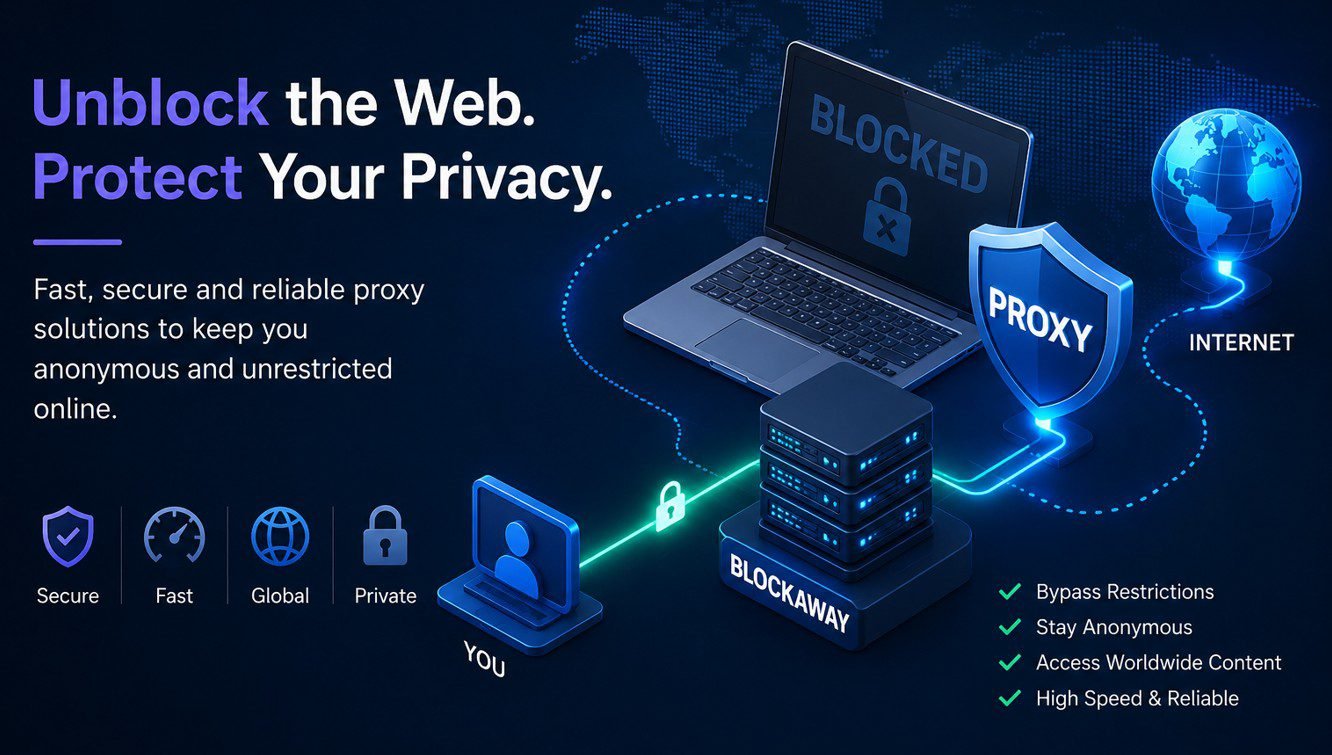
BlockAway adalah layanan proksi bebas, berbasis browser- yang memungkinkan pengguna untuk mengakses situs web yang diblokir, mask alamat IP mereka, dan menjelajahi web secara lebih pribadi — tanpa menginstal perangkat lunak apapun atau membuat akun. Jika Anda pernah mencoba untuk membuka situs web di sekolah atau bekerja hanya untuk menemukannya terbatas, BlockAway adalah salah satu solusi tercepat yang tersedia saat ini. Panduan ini mencakup segala sesuatu yang Anda butuhkan untuk mengetahui tentang apa yang Block Away lakukan, bagaimana cara kerjanya, dan apakah itu sesuai dengan kebutuhan Anda.
How BlockAway Works
Blok Away beroperasi sebagai perantara antara perangkat Anda dan situs web Anda ingin kunjungi. Biasanya, ketika Anda membuka situs web, perangkat Anda terhubung langsung ke server situs itu — dan server itu dapat melihat alamat IP Anda, lokasi Anda, dan kadang-kadang Anda menjelajahi sejarah. BlockAway mengganggu jalan itu sepenuhnya.
Ketika Anda memasukkan sebuah URL ke BlockAway, permintaan Anda perjalanan ke server BlockAway terlebih dahulu. Server tersebut kemudian menghubungi situs web target atas nama Anda dan mengembalikan isi ke peramban Anda. Akibatnya, lokasi target hanya melihat alamat IP BlockAway — bukan milikmu. Proses ini disebut proxy routing, dan itu adalah mekanisme inti di balik setiap layanan web proxy.
Terlebih lagi, karena permintaan berasal dari server BlockAway, itu melewati blok tingkat jaringan yang ditetapkan oleh sekolah, tempat kerja, atau penyedia layanan internet. Akibatnya, halaman yang sebelumnya tidak dapat diakses menjadi dapat dicapai dalam hitungan detik.
Fitur Kunci BlockAway
Blok Away termasuk beberapa fitur yang membuatnya menarik bagi pengguna kasual yang ingin akses cepat, tanpa nama tanpa kompleksitas.
| Fitur | Rincian |
|---|---|
| Biaya | Bebas digunakan, tak diperlukan berlangganan |
| Pendaftaran | Tak ada akun atau rincian pribadi yang diperlukan |
| Enkripsi | Enkripsi SSL antara peramban Anda dan server BlockAway |
| Lokasi Server | Beberapa negara tersedia (premium membuka lebih banyak) |
| Kebijakan No- Logs | Klaim untuk tidak menyimpan data browsing pribadi |
| Antarmuka | Masukan URL sederhana — tidak ada instalasi, tidak ada konfigurasi |
| Dukungan Mobile | Bekerja dalam browser seluler tanpa aplikasi |
Selain itu, BlockAway menawarkan tingkat premium di $3,50 per bulan. Rencana itu menghapus iklan, meningkatkan kecepatan server, dan membuka lokasi server tambahan termasuk Jerman, Inggris, Spanyol, Kanada, dan Israel. Namun, versi gratis cukup untuk kebanyakan kasus penggunaan sehari-hari.
Siapa Uses Blockaway?
Blok Pengguna utama Away jatuh ke dalam tiga kelompok yang luas. Pertama, siswa yang perlu mengakses platform seperti YouTube atau media sosial di jaringan sekolah di mana situs-situs tersebut diblokir. Kedua, karyawan yang mengalami pembatasan tempat kerja yang sama. Ketiga, pelancong dan pengguna di negara-negara dengan penyaringan internet tingkat pemerintah yang perlu mencapai situs tertentu.
Berbeda dengan perangkat lunak VPN, BlockAway membutuhkan waktu setup nol. Hambatan yang lebih rendah untuk masuk membuatnya sangat populer di antara para pengguna muda dan mereka yang secara teknis tidak percaya diri. Selain itu, karena ia berjalan seluruhnya di dalam tab peramban, ia tidak meninggalkan jejak pada perangkat itu sendiri.
Apa yang dapat dan tidak dapat dilakukan oleh BlockAway
Memahami keterbatasan BlockAway sama pentingnya dengan memahami kemampuannya. Oleh karena itu, di sini adalah rincian jujur kedua belah pihak.
Apa yang bisa dilakukan
- Bypass network- tingkat blok yang ditetapkan oleh sekolah, tempat kerja, atau asps
- Aktifkan alamat IP Anda dari situs yang Anda kunjungi
- Akses isi geo- dibatasi dengan routing melalui server di negara lain
- Muat situs web yang diblokir di negara Anda (varies dengan situs)
- Bekerja pada perangkat apapun dengan peramban — desktop, tablet, atau mobile
Apa yang tidak bisa dilakukan
- Akses jaminan ke semua platform streaming - Netflix dan layanan serupa mendeteksi dan memblokir koneksi proksi
- Menyediakan privasi level sistem penuh — hanya lalu lintas peramban dialihkan melalui proxy
- Mencegah kebocoran DNS - IP sebenarnya mungkin masih terlihat melalui permintaan DNS bila tidak dikonfigurasi dengan benar
- Cocok dengan kecepatan dan keandalan layanan VPN yang dibayar
- Melindungi data sensitif yang dimasukkan di situs web — jangan gunakan BlockAway untuk kredensial perbankan atau log masuk
Cara menggunakan BlockAway — Langkah demi langkah
Menggunakan BlockAway butuh kurang dari satu menit dari awal sampai akhir. Akibatnya, itu tetap salah satu pilihan proksi yang paling dapat diakses tersedia bagi pengguna non-teknis.
- Buka peramban Anda dan pergi ke blockaway.net
- Anda akan melihat kolom teks pada homepage — ketik atau tempelkan URL lengkap dari situs web yang ingin Anda kunjungi
- Jika Anda perlu muncul seolah-olah Anda menjelajah dari negara lain, pilih lokasi server dari menu dropdown
- Klik tombol Ramban atau Go
- BlockAway akan memuat situs target di dalam lingkungan proxy — Anda sekarang dapat menelusuri situs yang anonim
Perhatikan bahwa beberapa situs mungkin masih terlihat rusak atau sebagian dimuat. Hal ini terjadi karena skrip dan sumber daya tertentu di situs web modern tidak rute bersih melalui layanan proxy. Dalam kasus tersebut, mencoba lokasi server yang berbeda atau beralih ke versi mobile dari situs target sering memecahkan masalah ini.
Apa BlockAway aman?
Keselamatan adalah kekhawatiran yang paling umum pengguna meningkatkan layanan proksi gratis, dan benar begitu. BlockAway memakai enkripsi SSL untuk koneksi antara peramban dan server Anda — yang berarti perlindungan terhadap menguping di WiFi publik. Selain itu, yang dinyatakan no-log kebijakan berarti layanan klaim tidak merekam aktivitas browsing Anda.
Namun, ada keterbatasan nyata untuk dipertimbangkan. Proksi bebas tidak dapat secara independen diaudit dengan cara membayar jasa VPN kadang-kadang. Selanjutnya, BlockAway hanya rute lalu lintas peramban - aplikasi lain pada perangkat Anda terus menggunakan alamat IP Anda yang sebenarnya. Bagi tugas yang tidak melibatkan informasi sensitif, BlockAway umumnya dianggap aman untuk penggunaan sehari-hari. Dan untuk apa pun yang melibatkan kredensial pribadi, data keuangan, atau komunikasi rahasia, VPN dibayar dengan kebijakan no- log diverifikasi menyediakan perlindungan yang jauh lebih kuat.
Untuk analisis yang lebih dalam dari pertanyaan keamanan, lihat kami didedikasikan panduan: Apakah BlockAway aman untuk digunakan?
Blockaway Free vs Premium - mana yang harus kau pilih?
Versi gratis dari BlockAway menangani dasar browsing tugas dengan baik. Namun demikian, pengguna yang mengandalkan layanan sehari-hari — atau yang membutuhkan akses yang konsisten ke isi streaming — akan melihat perbedaan bahwa tingkat premium menyediakan. Lebih cepat server, tidak ada iklan, dan memperluas lokasi server membuat $3,50 bulanan biaya yang masuk akal bagi pengguna berat.
Pengguna kasual yang hanya perlu memotong pembatasan sesekali, sebaliknya, akan menemukan versi gratis sepenuhnya memadai. Fungsi inti proxy identik di kedua penghitung.
Sering Muncul Pertanyaan Tentang BlockAway
Apa BlockAway digunakan untuk?
BlockAway terutama digunakan untuk mengakses situs yang diblokir oleh jaringan sekolah, firewall tempat kerja, atau pembatasan internet regional. Hal ini juga digunakan untuk menutupi alamat IP pengguna untuk tujuan privasi dasar ketika menjelajahi.
Apakah Blok Away mengharuskan Anda untuk membuat rekening?
Tidak. Layanan gratis BlockAway tidak memerlukan pendaftaran, tidak ada alamat email, dan tidak ada informasi pribadi. Anda dapat mulai menggunakannya segera dengan mengunjungi situs web dan memasuki URL yang ingin Anda akses.
Apakah BlockAway sama seperti VPN?
Tidak. VPN mengenkripsi semua lalu lintas meninggalkan perangkat Anda pada tingkat sistem — Semua aplikasi dilindungi. BlockAway hanya rute lalu lintas dalam sesi browser Anda. Selain itu, VPN biasanya menawarkan jaminan privasi yang lebih kuat karena mereka beroperasi di tingkat jaringan, sementara proxy beroperasi di tingkat aplikasi.
Akankah BlockAway memperlambat internetku?
Ya, beberapa pengurangan kecepatan diharapkan. Karena setiap rute permintaan melalui server tambahan, beban kali meningkat dibandingkan dengan koneksi langsung. Sejauh perlambatan tergantung pada lokasi server yang Anda pilih dan seluruh server dimuat pada saat itu. Pengguna premium umumnya mengalami kecepatan yang lebih cepat karena infrastruktur yang kurang padat.
Bisakah BlockAway membuka blok YouTube?
Ya, dalam banyak kasus. YouTube umumnya bekerja melalui BlockAway karena layanan menggunakan URL menulis ulang untuk menangani konten dinamis situs. Namun, hasil mungkin bervariasi tergantung pada pembatasan jaringan tertentu di tempat dan lokasi server dipilih.
Apakah BlockAway legal untuk digunakan?
Menggunakan layanan proksi legal di kebanyakan negara. Namun, menggunakannya untuk melanggar ketentuan perjanjian layanan — seperti kebijakan penggunaan yang dapat diterima di sekolah atau istilah aplikasi streaming lisensi regional — bisa memiliki konsekuensi pada tingkat institusional. Untuk pelanggaran hukum penuh oleh negara dan menggunakan kasus, membaca panduan kami: Apakah BlockAway Legal?
Apa alternatif terbaik untuk BlockAway?
The top alternatives to BlockAway include CroxyProxy, Proxyium, KProxy, ProxySite, and GenMirror for free web proxies. For users who need stronger privacy protection, paid VPN services such as NordVPN or ExpressVPN are significantly more robust options. See our full breakdown: 10 Alternatif BlockAway Terbaik.
Apakah BlockAway bekerja dengan ponsel?
Ya. BlockAway bekerja dalam browser mobile tanpa memerlukan aplikasi terpisah. Cukup buka peramban Anda, menavigasi ke blockay.net, dan gunakan layanan seperti yang Anda inginkan di desktop. Kinerja mungkin bervariasi sedikit tergantung pada kondisi jaringan bergerak.